Monday, October 2, 2006

An encounter with VLAN

2 days ago, I helped my friend setting up internet connection for his office's LAN. As he showed me the network diagram, I realised that there are 6 VLAN that I need to cover to make them connect to the internet.

6 VLANS-->CORE SWITCH-->ROUTER+PROXY+DNS-->GATEWAY-->INTERNET

The problem was to get the clients in each VLAN to communicate each other and to communicate with router. All clients should also be able to access dhcp server located in one of the VLANS. After struggling about two days, I managed to get all clients in different VLANS talking to each other and the router. The problem was that I didn't understand how each VLAN talk to each other. The solution was located on coe switch. The commands below did the job:

route add -net 172.20.10.0 netmask 255.255.255.0 gw 172.20.30.254 eth0
route add -net 172.20.20.0 netmask 255.255.255.0 gw 172.20.30.254 eth0
route add -net 172.20.30.0 netmask 255.255.255.0 gw 172.20.30.254 eth0
route add -net 172.20.40.0 netmask 255.255.255.0 gw 172.20.30.254 eth0
route add -net 172.20.50.0 netmask 255.255.255.0 gw 172.20.30.254 eth0
route add -net 172.20.60.0 netmask 255.255.255.0 gw 172.20.30.254 eth0

If you can see above, the gateway is the same to be able all VLANs talking to each other and .30.254 is the gateway of the router.


route add default gw xxx.xxx.xxx.xxx

xxx.xxx.xxx.xxx is the gateway public IP (usually a modem). Don't forget that the router should enable ip forwarding. change it in /etc/sysctl.conf and run sysctl -p to make it effective. NAT and forward table really depends on it.

iptables and squid
I setup squid for faster internet access and save internet bandwidth. For each VLAN, we have to make rules.

iptables -t nat -A PREROUTING -s 172.20.10.0/24 -p tcp --dport 80 -j REDIRECT --to-ports 3128
iptables -t nat -A PREROUTING -s 172.20.20.0/24 -p tcp --dport 80 -j REDIRECT --to-ports 3128
iptables -t nat -A PREROUTING -s 172.20.30.0/24 -p tcp --dport 80 -j REDIRECT --to-ports 3128
iptables -t nat -A PREROUTING -s 172.20.40.0/24 -p tcp --dport 80 -j REDIRECT --to-ports 3128
iptables -t nat -A PREROUTING -s 172.20.50.0/24 -p tcp --dport 80 -j REDIRECT --to-ports 3128
iptables -t nat -A PREROUTING -s 172.20.60.0/24 -p tcp --dport 80 -j REDIRECT --to-ports 3128

Note that 3128 is the squid port.

That's it. Now the clients on every VLAN can access to the internet and communicate with each other.

Tuesday, September 19, 2006

ping using netbios name from Linux box

I have a linux box in a LAN with almost other boxen are MS Windows ME/XP. This Linux box acts as a WINS server serving request from LAN for netbios information. I can get the name of pcs in my workgroup using smbclient -L mywinsserver but I didn't know the ip address of each client. I would like to ping the name of a client pc using netbios names. How to overcome this? I got this simple solution from the net. Put wins in /etc/nsswitch.conf like this:

hosts:          files dns wins

This line says, try looking in /etc/hosts files and then dns server and then wins server for the ip address of the name. This is only applicable if there is a WINS server in your network. If not, you're out of luck.

tips : to speed up netbios name resolution, try putting wins in the front like this

hosts:          wins files dns

I don't recommend this unless you access clients on your network frequently. Otherwise, the default should be enough.

Thursday, September 7, 2006

Samba explained

I'm done setting up samba server as instructed by my boss 2 weeks ago. The mystery of SAMBA have been revealed :). I never done this before. I mean I've never done setting up one for 'production' server. I learnt a lot from internet by googling and asking on a Linux forum to get hints. I wanna share a few tips here for us.

My setup
The first thing to configure is smb.conf. I use Slackware 10.2. This file is located in /etc/samba. For your distro, you should check in /etc or /etc/samba. This file is divided into 2 categories:

  1. global setting [global]
  2. share definitions (this is where you define your sharing directories)
Let's discuss them in turn

global setting[global]

workgroup - specify workgroup of your machine
server string - specify server string ie Samba server
security - specify your security here ie share or user. share is suitable for home use. user is more secure. You have to specify username and password when you want to connect to this samba server.
hosts allow - ie 192.168.0.0/24 or 10.0.0.0/16 , specify LAN clients allowed to connect. You may want to add localhost too ie 127.0.0.1
wins server - specify WINS server to be used by this samba server for faster NetBIOS name resolution ie 192.168.0.11

There are more directives to be set but I concentrate for simple setup only.

Share Definitions
Here you can specify what directory you want to make sharing. Look at this example:

[homes]
comment = Home Directories
browseable = No
writable = Yes

[public]
comment = For Public Consumption
path = /home/samba/public
public = Yes
writable = Yes
printable = No
writelist = @staff
browseable = Yes

[Finance]
comment = Finance's Stuff
path = /home/samba/finance
valid users = @finance
public = no
writable = no
printable = no
browseable = yes
write list = @finance
create mask = 0660
directory mask = 0770
force group = @finance

------
for [Homes], it is the home directory of the user if they logged in. browseable = No states that the directory is not browseable by other users or hidden. writable = yes states that the user is given read and write permissions.

for [public], the path for this folder is /home/samba/public. You have to make sure that this directory exist and make sure the permission is set as below:

drwxrwxr-x  root staff  /home/samba/public

this ensure that the staff group has write permission as stated by writelist = @staff. The other directives are self-explanatory.

For [finance], the path is /home/samba/finance and valid users = @finance states that only users in finance group can enter/access this directory and write list = @finance ensures that only users in finance group have read and write permissions. The "create mask" and "directory mask" ensure new and modified files and directories retain their correct permissions, and the "force group" causes all file read/writes to be the group finance regardless of what the user's primary group is, ensuring that all members can read/write/modify files. permissions. You should set the directory as :

drwxrwx---  root finance  /home/samba/finance

These are the tips that I got when I was setting up the samba server. I hope it can be useful to anyone who wanna setup a simple samba server in a LAN more secure by setting up the sharing directories correctly.

You can extend the above setup as you grasp the key concept above. The permissions of Linux directories should satisfy what you state in smb.conf or the other way around :). Otherwise it will make no sense.

Lastly, to restart the samba server , issue this command :

/etc/rc.d/rc.samba restart

or (if you use Fedora, Redhat or Mandriva)

service smbd restart

Have nice day!

Saturday, July 29, 2006

The latest Google Talk


When I was checking my INBOX, I usually ignored emails from unknown sender (including emails from mailing lists) for the first time if and only if the Subject was not interesting but one email really caught me. The subject was about the latest Google Talk or Gtalk for short. I am a big fan of Google Talk and have been using it for nearly a year now. Of course, the 'talk' feature is the main attraction. I like its simplicity.Nonetheless, I want it to have more features like the ability to share files, change status on the fly based on action, more colorful smilies and webcam support. Use YM! I hear you say. No. What I want is the google way of doing things. Simple but elegant. :-)

Wait no more. At least many of the features have been added in the recent release. See what's new. Download it here.

Thursday, July 6, 2006

Apache virtual server on SuSe 9.2


Hello there!. We meet again. :)

I am in the process of tranferring my old server files and data to our new server. It is an IBM e-series (2 Xeon CPUs, 1 GB RAM, 2 HDDs, Hardware RAID capable, 2 power supplies). I have setup SuSe Linux Professional 9.2 on it for testing. After 2 days testing it, I decided to use it as the distro of choice for our new server. SuSe is an excellent distribution for servers (so do other distributions aimed for servers). This is the article on how I setup name-based apache virtual server for the server.

Setting up apache virtual server
What is apache virtual server? It is a concept where a server can have multiple names and multiple IPs. Each server name can have different content depends on folder they are assigned (See below). The configuration on some distros is different depends on what directive have been put in httpd.conf and other files.

Copy file /etc/apache2/vhosts.d/vhost.template to vhost.conf in the same directory. Put this in /etc/apache2/vhosts.d/vhost.conf :

<**virtualhost>
ServerName www.mydomain.tld
ServerPath /mydomain
DocumentRoot /srv/www/web/domain
< /virtualhost>

<**virtualhost>
ServerName www.mydomain2.tld
ServerPath /mydomain2
DocumentRoot /srv/www/web/domain2
< /virtualhost>

(please remove the leading **)

This is one server serves multiple domains or subdomains. To configure name-based virtual hosts, uncomment this line in /etc/apache2/listen.conf:

NameVirtualHost *:80

If you are using UTF-8 in your web pages, you should replace this line in /etc/apache2/mod_mime-defaults.conf:

AddDefaultCharset ISO-8859-1

with this line:

AddDefaultCharset Off


How does apache knows to differentiate each domain/subdomain ?

It looks at the HTTP header of clients' packets. If you type http://www.mydomain.tld, it will serve for domain www.mydomain.tld and the same for the other domain. You can have as many domain as you like.


To see the status of your bonding interface, issue this command :

~#cat /proc/net/bonding/bond0

The output is as below :


Ethernet Channel Bonding Driver: v2.6.0 (January 14, 2004)

Bonding Mode: load balancing (round-robin)
MII Status: up
MII Polling Interval (ms): 0
Up Delay (ms): 0
Down Delay (ms): 0

Slave Interface: eth0
MII Status: up
Link Failure Count: 0
Permanent HW addr: 00:14:5e:69:75:2a

Slave Interface: eth1
MII Status: up
Link Failure Count: 0
Permanent HW addr: 00:14:5e:69:75:2b

Summary
Instead of 2 servers for two purposes, I create name-based apache virtual server to serve for my domains and subdomains. This eliminates the need for more hardwares and cost. Furthermore, the server is capable enough to handle more that 1 domain and I think this is one of many ways to use the hardware effectively.

Resource
http://www.topology.org/linux/apache2.html
http://httpd.apache.org/docs/1.3/vhosts/name-based.html

Saturday, June 24, 2006

Installing Linux on an iMac


What Linux distro is the best for iMac? For a week, by searching with google, I found out that YellowDog is the best. I have to verify it myself by installing one. Before this, I have run Ubuntu Live CD PowerPC Edition to find out whether Linux can be installed on iMac. I couldn't believe my eyes. It was running perfectly. Now it's time to install to hard disk and wipe out the Mac OS 9.

My iMac is a G3 with 60 GB hard drive and Riva 128 is the graphic adapter.


SuSeLinux:~ # cat /proc/cpuinfo
processor : 0
cpu : 745/755
temperature : 27-29 C (uncalibrated)
clock : 400.000000MHz
revision : 50.2 (pvr 0008 3202)
bogomips : 49.79
timebase : 24967326
machine : PowerMac2,2
motherboard : PowerMac2,2 MacRISC2 MacRISC Power Macintosh
detected as : 66 (iMac FireWire)
pmac flags : 00000014
L2 cache : 512K unified
pmac-generation : NewWorld
SuSeLinux:~ #


SuSeLinux:~ # lspci
00:0b.0 Host bridge: Apple Computer Inc. UniNorth AGP
00:10.0 Display controller: ATI Technologies Inc Rage 128 PR/PRO AGP 4x TMDS
0001:10:0b.0 Host bridge: Apple Computer Inc. UniNorth PCI
0001:10:17.0 Class ff00: Apple Computer Inc. KeyLargo Mac I/O (rev 03)
0001:10:18.0 USB Controller: Apple Computer Inc. KeyLargo USB
0001:10:19.0 USB Controller: Apple Computer Inc. KeyLargo USB
0002:20:0b.0 Host bridge: Apple Computer Inc. UniNorth Internal PCI
0002:20:0e.0 FireWire (IEEE 1394): Apple Computer Inc. UniNorth FireWire (rev 01)
0002:20:0f.0 Ethernet controller: Apple Computer Inc. UniNorth GMAC (Sun GEM) (rev 01)
SuSeLinux:~ #


With Ubuntu, to my surprise, the installer couldn't enter X mode. I tweaked the xorg.conf to make it work. I failed. I got no time to tweak a little bit more. I turn to Yellow Dog. The Yellow Dog installer also failed to enter X mode. Lastly, I turned to OpenSuSe. To my relief, it worked. The gui installer had no difficulty to run. After booting, the X worked but the screen was not centered. I tweaked xorg.conf a little bit. It's easy with xvidtune than SaX2. Now the screen looked better. You didn't have to be a rocket scientist to tweak it. :p


The monitor section :

Section "Monitor"
DisplaySize 300 230
HorizSync 60-60
Identifier "Monitor[0]"
ModelName "APPLE IMAC"
Option "DPMS"
VendorName "APP"
VertRefresh 75-117
UseModes "Modes[0]"
EndSection


The modeline section :

Section "Modes"
Identifier "Modes[0]"
Modeline "1024x768" 78.525 1024 1049 1145 1312 768 769 772 800 +hsync +vsync
Modeline "1024x600" 89.40 1024 1088 1200 1376 600 601 604 637
Modeline "1024x600" 88.39 1024 1088 1200 1376 600 601 604 636
Modeline "1024x600" 87.51 1024 1088 1200 1376 600 601 604 636
Modeline "800x600" 69.65 800 848 936 1072 600 601 604 637
Modeline "800x600" 68.86 800 848 936 1072 600 601 604 636
Modeline "800x600" 68.18 800 848 936 1072 600 601 604 636
Modeline "768x576" 66.54 768 816 896 1024 576 577 580 613
Modeline "768x576" 65.80 768 816 896 1024 576 577 580 612
Modeline "768x576" 65.18 768 816 896 1024 576 577 580 612
Modeline "640x480" 50.03 640 680 744 848 480 481 484 513
Modeline "640x480" 49.59 640 680 744 848 480 481 484 513
Modeline "640x480" 49.16 640 680 744 848 480 481 484 513
EndSection


The device section :

Section "Device"
BoardName "Rage 128 PR"
BusID "0:16:0"
Driver "ati"
Identifier "Device[0]"
Screen 0
VendorName "ATI"
Option "AGPMode" "true"
# Option "UseCCEFor2D" "false"
# Option "UseFBDev" "true"
Option "ForcePCIMode" "true"
EndSection


Running Linux on iMac is a wonderful thing. Linux is Linux. Whatever platform it is running, you can turn it to be a server, workstation or desktop. You decide.

Thursday, June 15, 2006

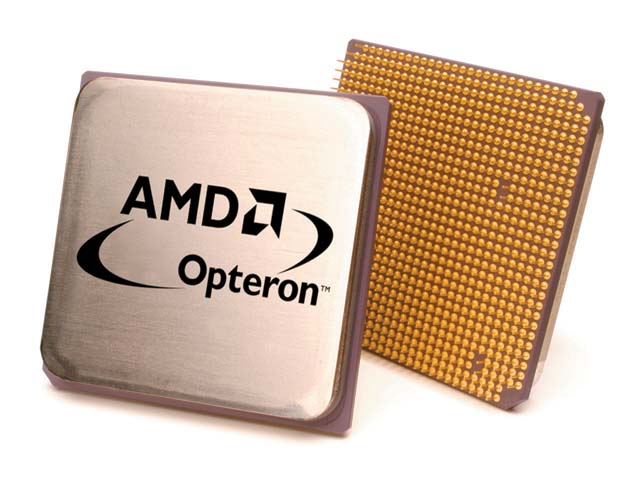
AMD Opteron vs Intel Itanium


Recently, I attended a seminar on Grid Computing and HPC. The organizer invited an Indian speaker, a sales director of SUN India, Mr Mohan. In his brilliant speech, many useful information gathered by me especially the decision made by SUN to opt for AMD Opteron on many its HPC products instead of Intel Itanium (in terms of commodity 64-bit CPU).

Why Opteron?
These are the reasons (briefly):

1. Allows end users to run their existing installed base of 32-bit applications and operating systems at peak performance, while providing a migration path that is 64-bit capable.

2. HyperTransport technology - provides a scalable bandwidth interconnect between processors, I/O subsystems, and other chipsets. This feature is not available in Itanium.

3. Integrated DDR DRAM Memory Controller - this memory is integrated in CPU itself. For Itanium, the memory is outside of CPU. According to Mr Mohan,Itanium introduced FSB (Front Side Bus) to connect CPU to external RAM. This increases latency.

4. Low-Power Processors - the AMD Opteron processor offers industry-leading performance per watt making it an ideal solution for rack-dense 1U servers or blades in datacenter environments as well as cooler, quieter workstation designs. This is a critical factor for HPC environment.

The bottomline is Opteron is more scalable than Itanium in terms of speed. If we add more CPUs, the Opteron speed will increase as opposed to Itanium. To make things worse, the bandwidth between CPUs will be divided evenly.

These are distinctive features on AMD Opteron that made it suitable for SUN to bundle it for their server products. Although Intel is popular, for technical people, popularity is nothing. The technical side of it is more important and pricewise it is cheaper too.

ps : This article is not endorsed by AMD :-)

Nvidia new hotplug feature on Linux

 If you use nvidia driver for your GPU, you probably wonder why in some config, you can't hotplug your second monitor. You need to reboo...